Your gallery.
Your server.
Your control.
Native and web apps for your photos and videos, stored on your own server instead of another company's cloud. Automatic backup, AI search, faces and memories, with your library always under your control.
Everything you expect from a photo app, without giving your photos away
Photonne combines the convenience of a great mobile app with a server that you control.
Phone and server, one gallery
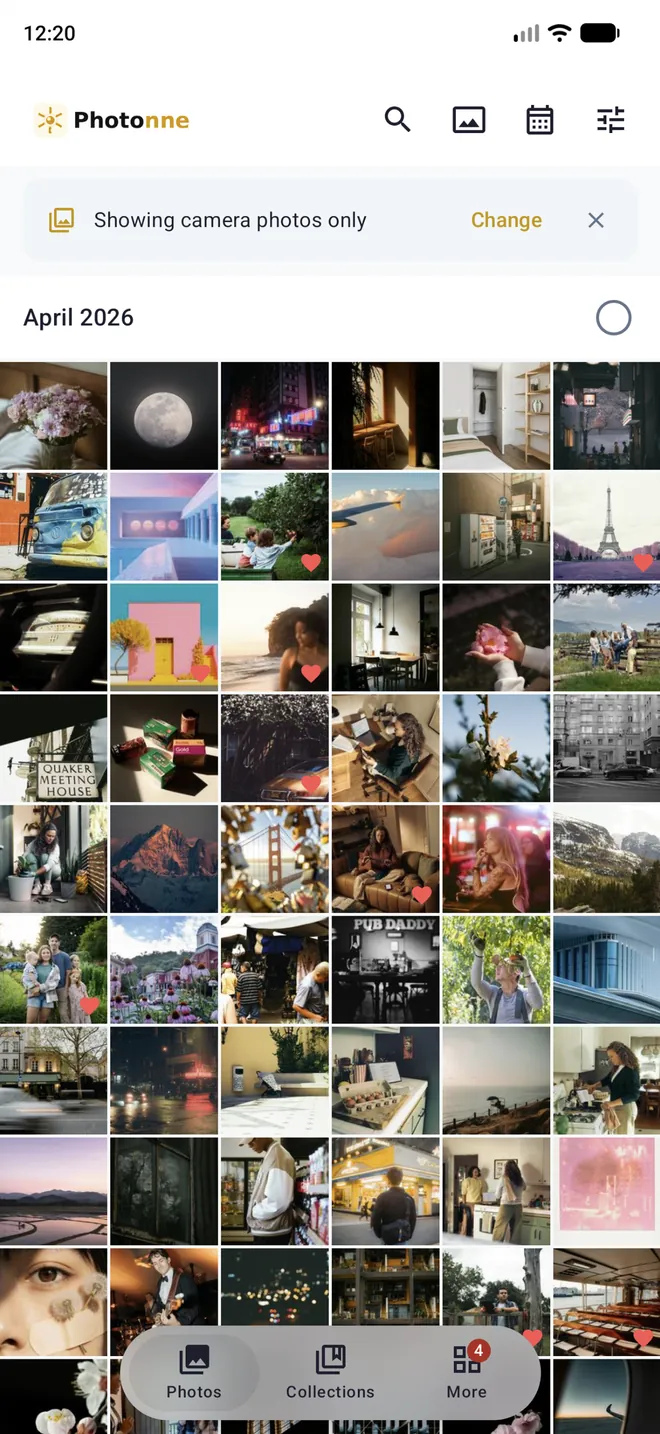
The timeline brings together the photos on your device and the ones on your server. Filter what you see and check at a glance what is still waiting to be backed up.
Albums and folders, side by side
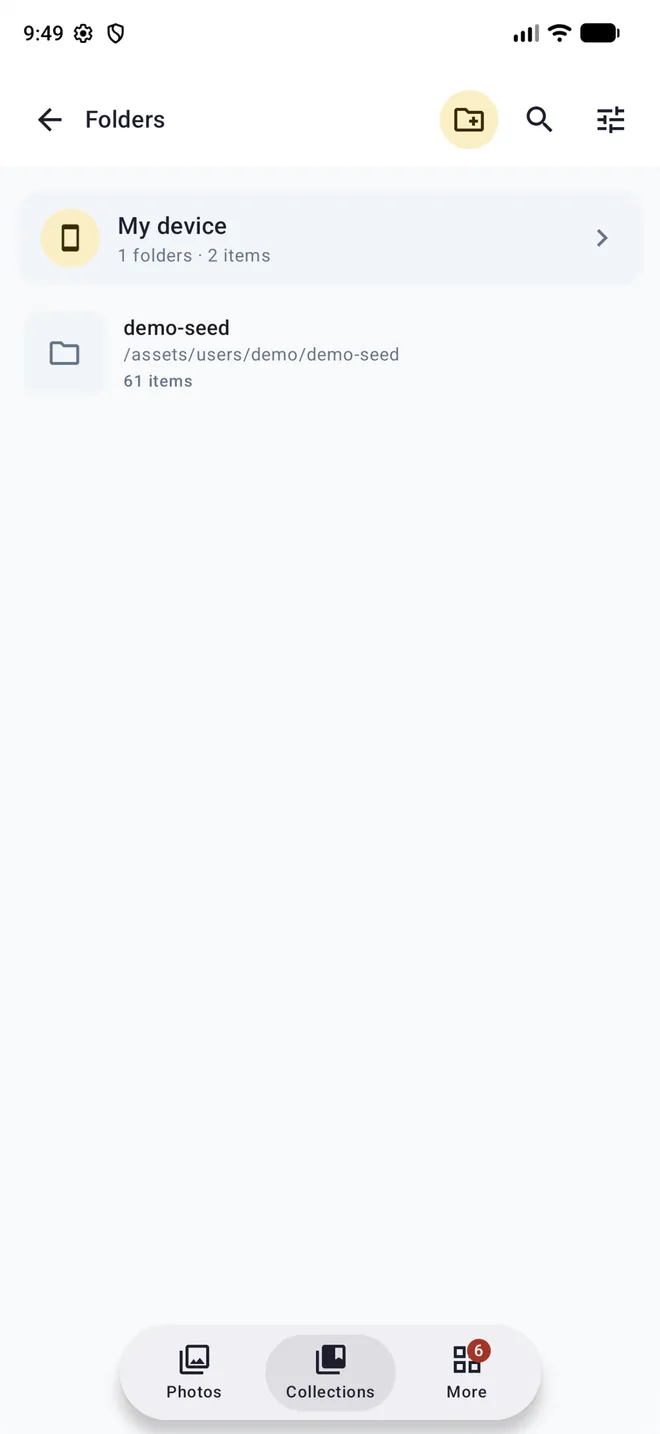
Group photos into albums without moving them, or create, rename and move them between real folders. The same photo can live in its folder and in as many albums as you like.
Smart albums
They fill themselves based on the conditions you choose: people, dates, folders… The "To organize" inbox suggests what to sort using rules and exclusions, and you can pin your favorite collections.
Search the way you talk
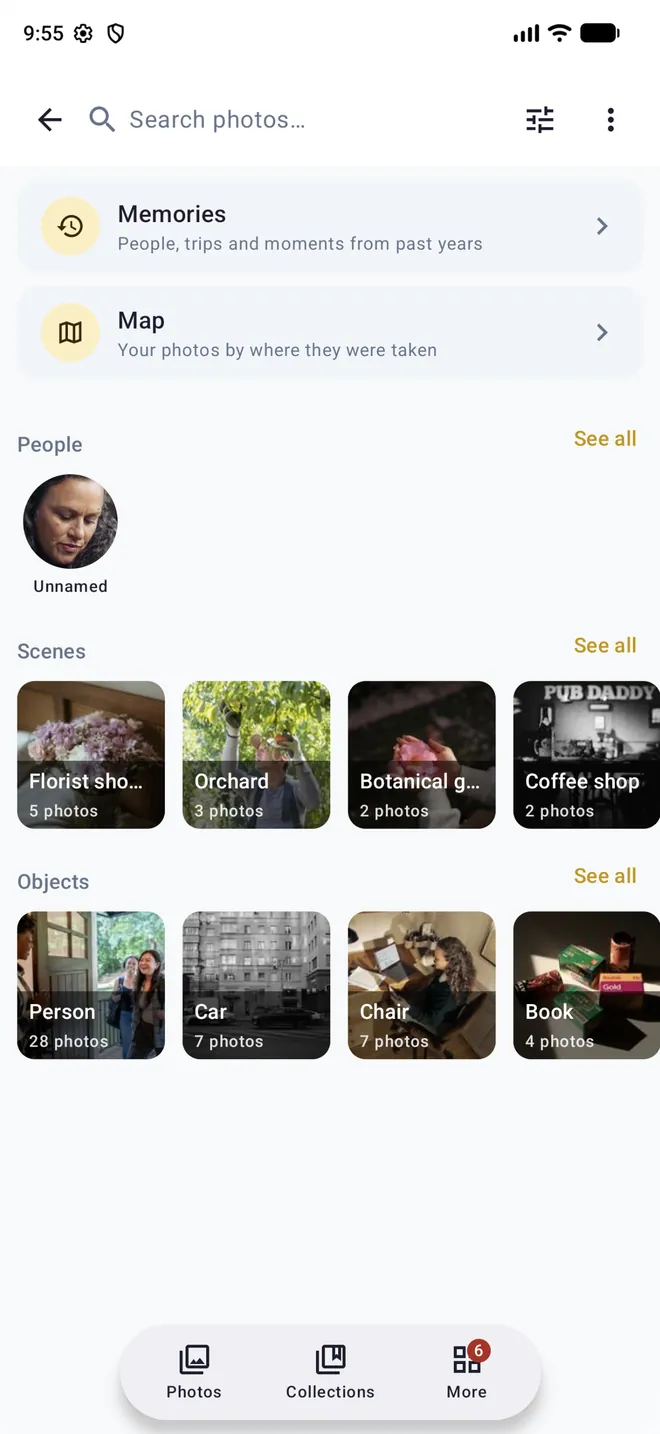
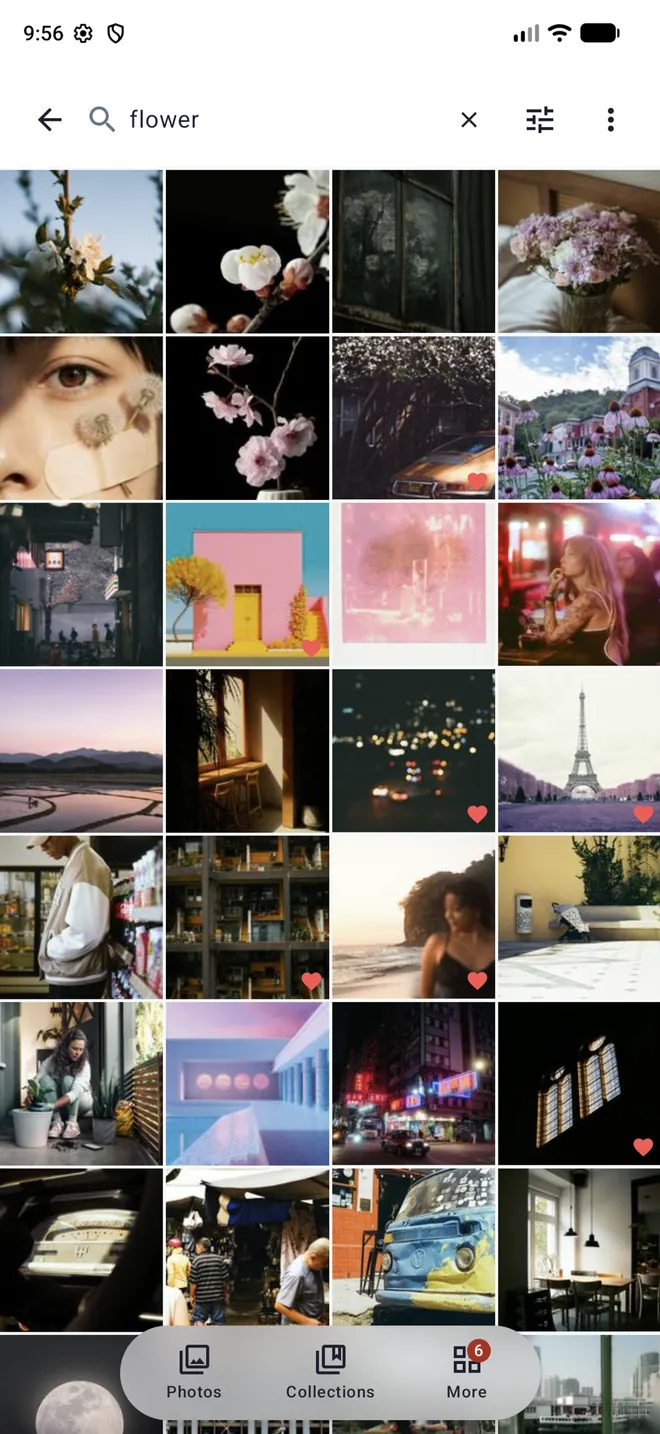
Type "beach at sunset" or "dog in the snow" and find the photo. Search by objects, scenes and the text in your photos too: receipts, signs or documents.
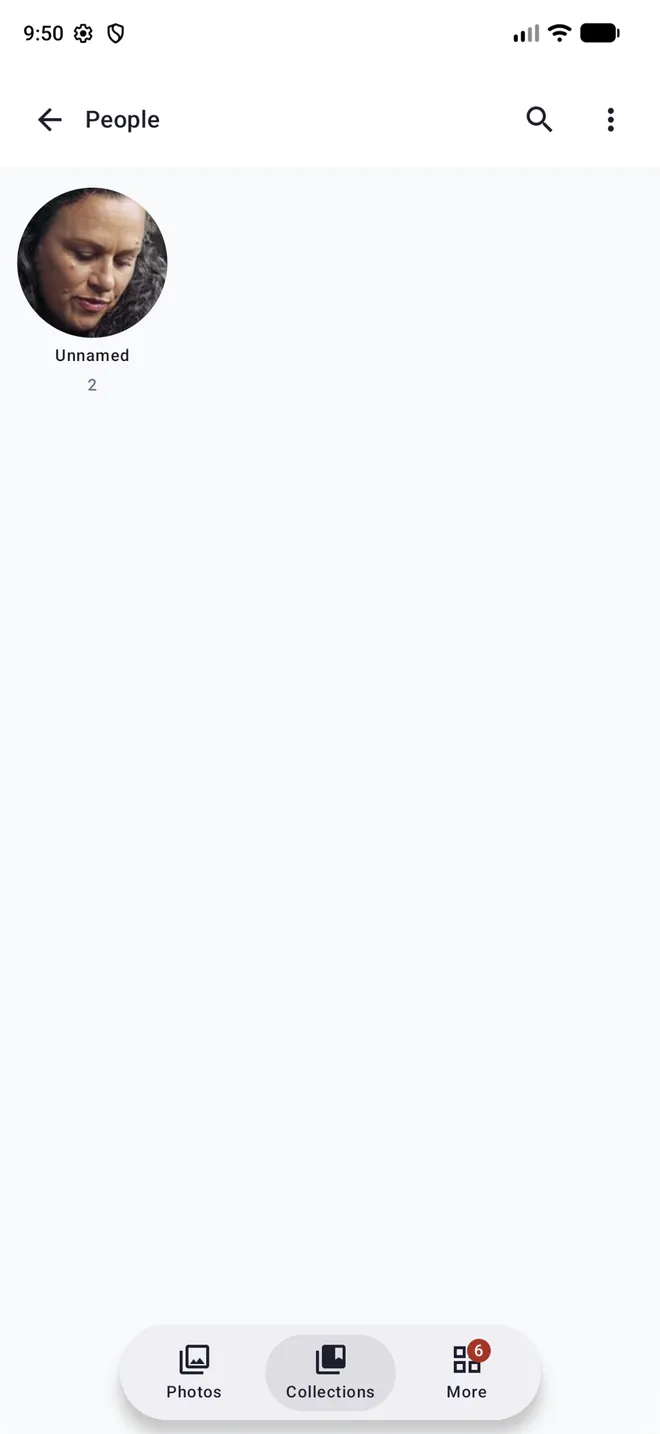
People and explore
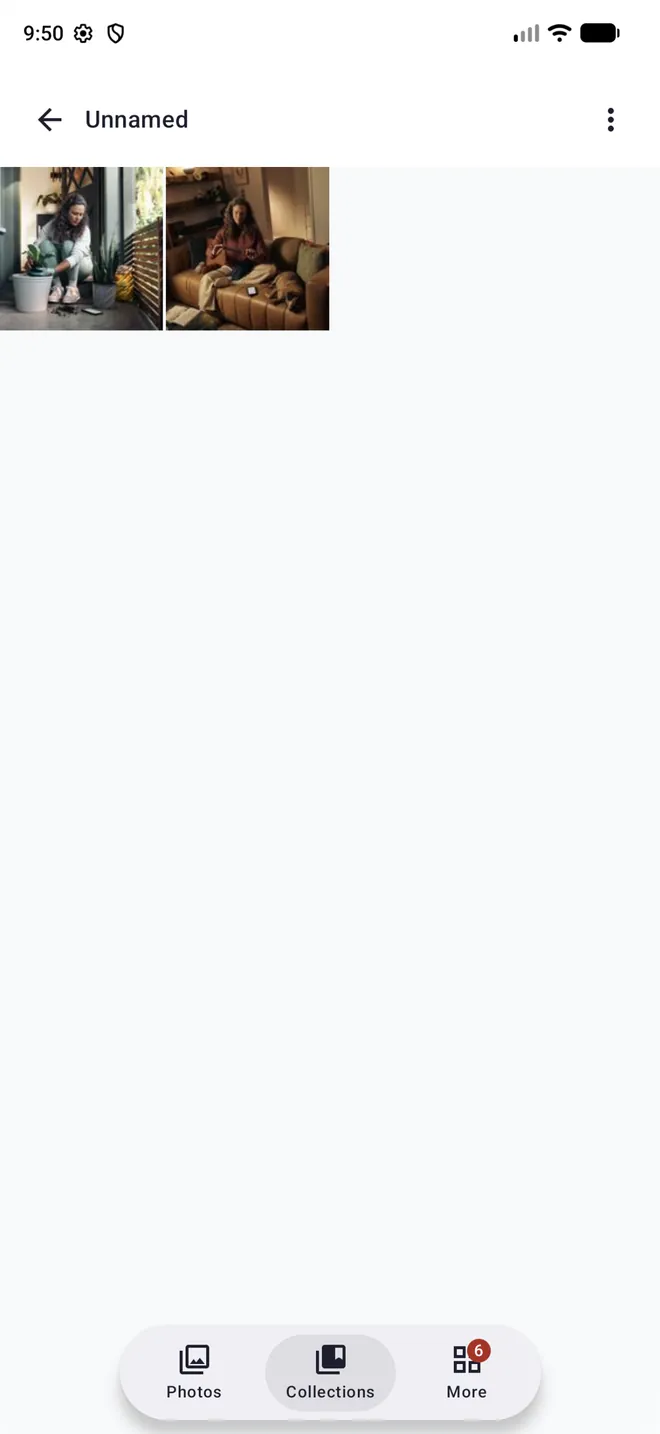
Name the faces in your photos, accept suggestions for similar faces and see every photo of each person. Explore by objects and scenes as well.
Automatic backup
Photos and videos from your phone back up on their own, even in the background. Choose which folders to back up and whether to do it only on Wi-Fi or while charging, or upload anything by hand.
Free up space on your phone
Delete from your device only what is already safe on the server, keeping each photo's original date and location.
A smooth timeline
Zoom by year, month and day, a scrubber to jump to any date, and a viewer with a thumbnail strip, EXIF details and a map.
Memories
Trips, people and what happened on this day in past years, created automatically from your library.
Map
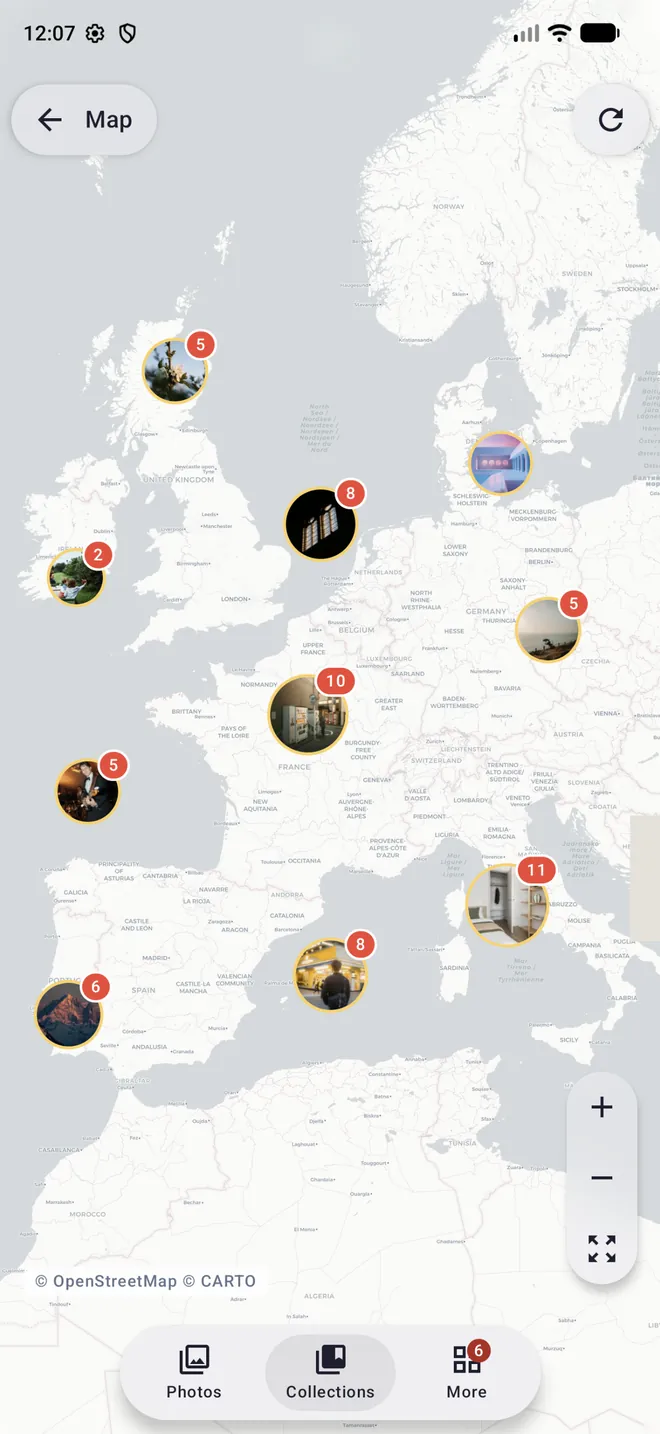
Your photos grouped by place using their GPS location, with a direct jump to your maps app from any photo.
Sharing made easy
Shared albums with permissions, public links with a password, expiry date and view limit, and request links so your guests can upload their photos without an account. Manage them all from "My links".
Live Photos, video and RAW
Live Photos, videos, HEIC and RAW from the major camera brands (CR2, CR3, NEF, ARW, DNG, RAF…). Pick a frame from a motion photo and save it as a new photo; download in the original format or as JPG.
For the whole household
Several accounts on one server, each with its own library, its own backup and its own shared albums.
Slideshows
Start a slideshow from the viewer and play through an album, a folder or your timeline in full screen, with the screen kept awake.
Activity notifications
Find out when someone opens a link you shared or uploads photos through it, and when a server task finishes or fails, even with the app closed.
Admin from anywhere
Users, external libraries, statistics, tasks, AI analysis status and server settings, from your phone or the web.
Every photo, with all its context
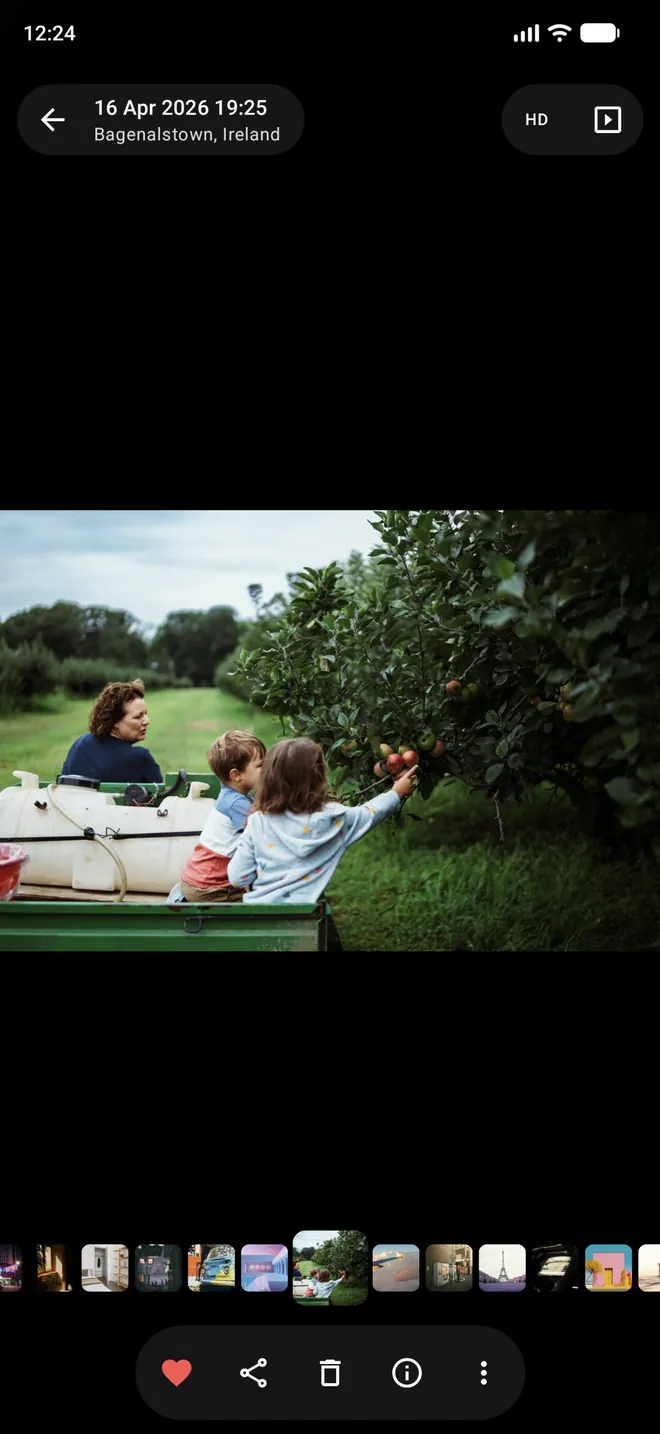
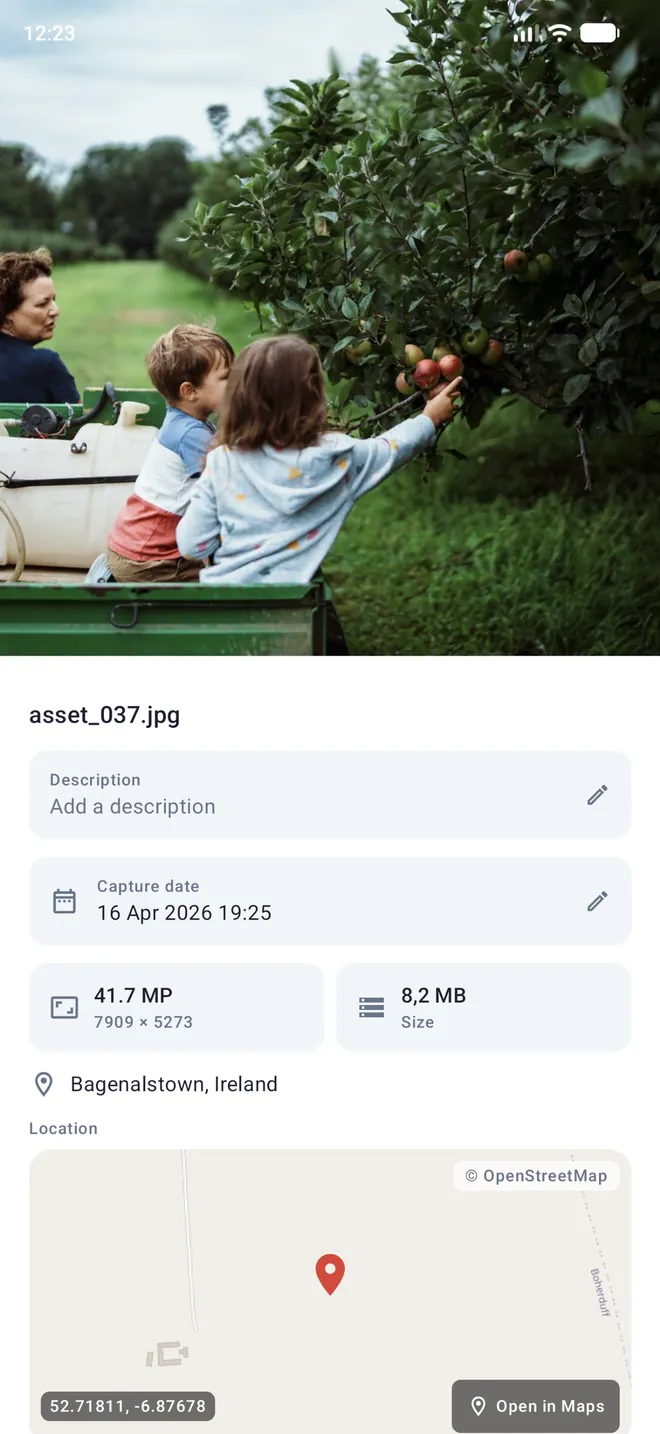
Swipe between photos with a thumbnail strip, switch to HD quality and swipe up to see the description, capture date, resolution, size and the exact spot on the map.
- Edit the description and capture date
- Favorite, share and delete in one tap
- Analyze any photo with AI from its menu
Find any photo by describing what you see
Type "flower", "beach at sunset" or "dog in the snow" and Photonne finds the photos without you tagging anything by hand. From search you can also jump to memories, the map, people, and the scenes and objects detected in your library.
- AI-powered natural language search
- Scenes and objects detected automatically
- Filters to refine the results
Relive every trip on the map
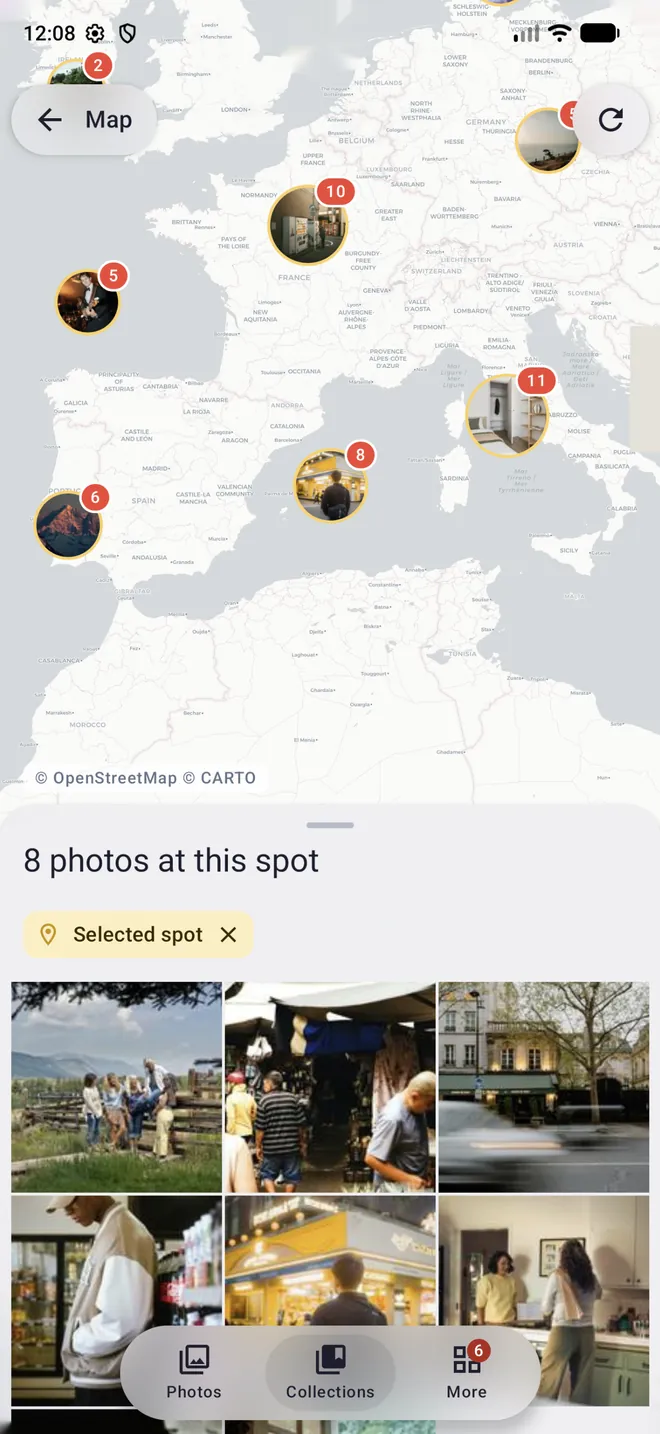
Your photos are grouped by place, and the groups split apart as you zoom in. Tap one to see every photo from that spot in a panel, without leaving the map.
- Grouped by place, with a photo count
- Photos from each place in a sliding panel
- Jump to your maps app from any photo
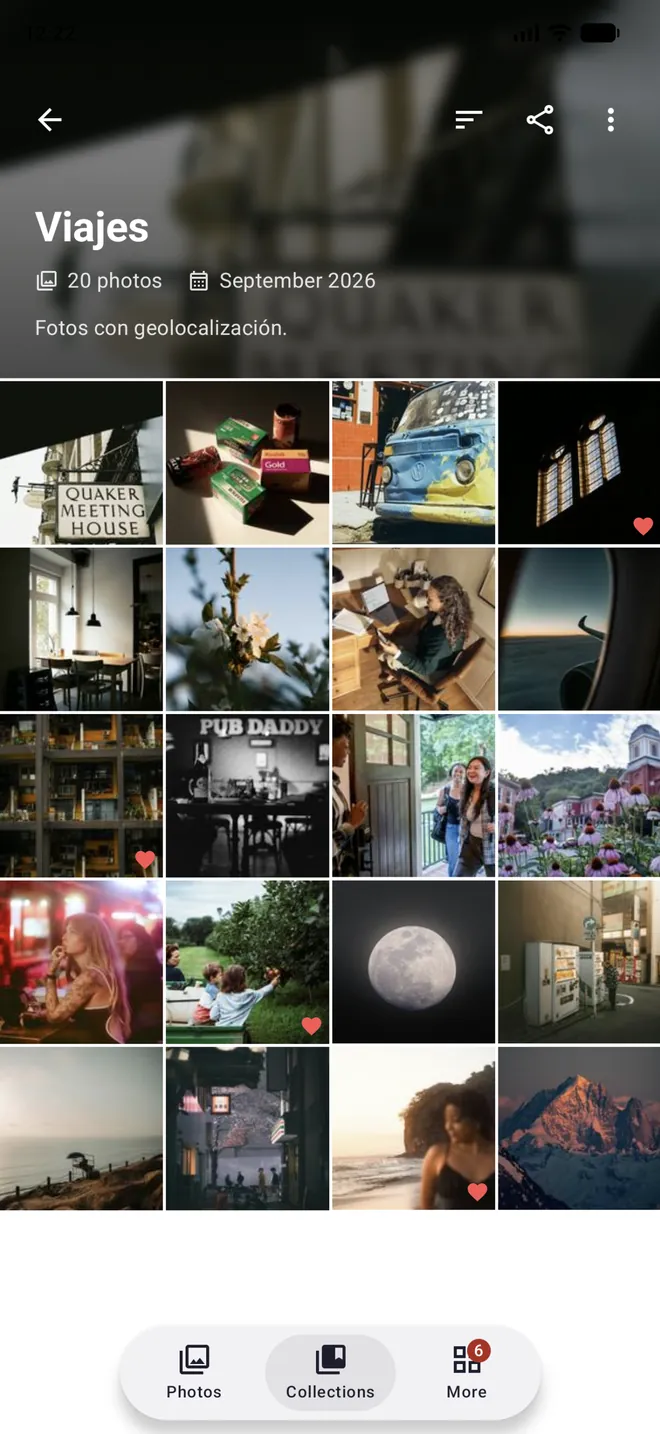
Organize your way
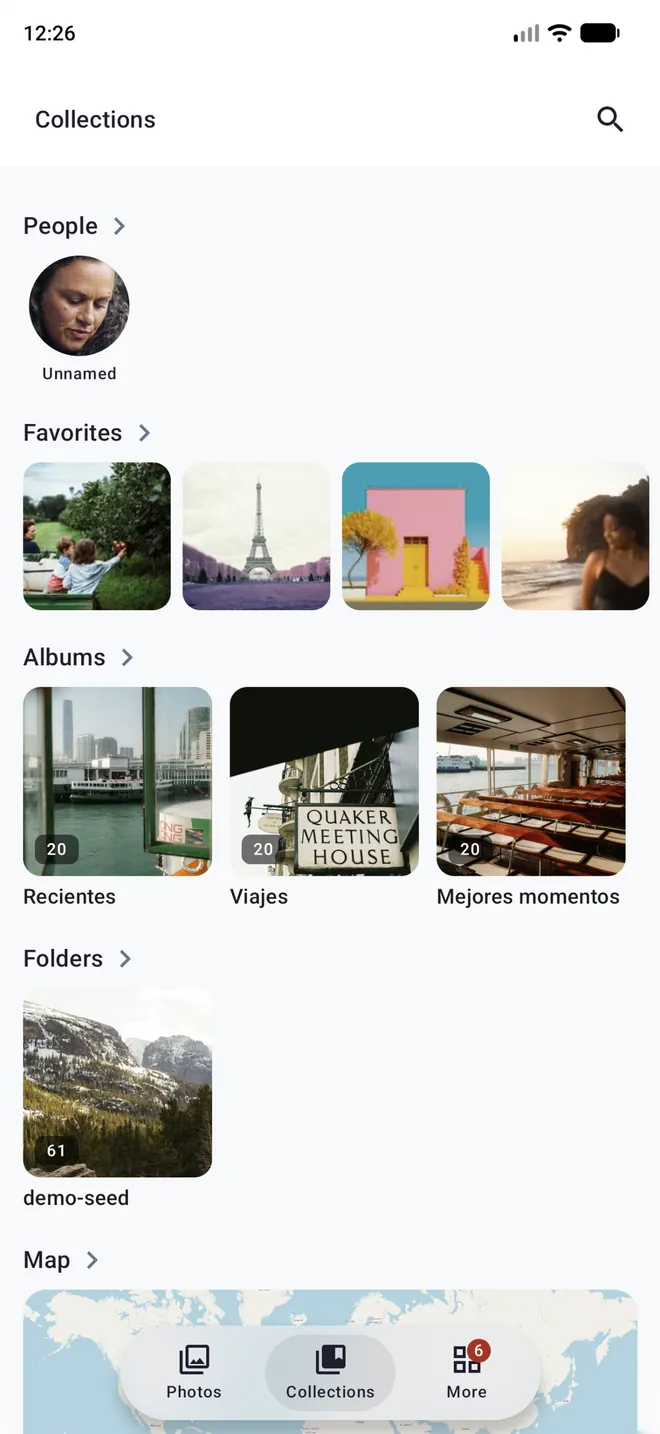
People, favorites, albums, folders and the map on a single screen. Most apps make you pick one way to organize; Photonne lets you use albums and folders at the same time.
- Your own, shared and smart albums
- Real folders on your server
- Archive and a trash you can restore from
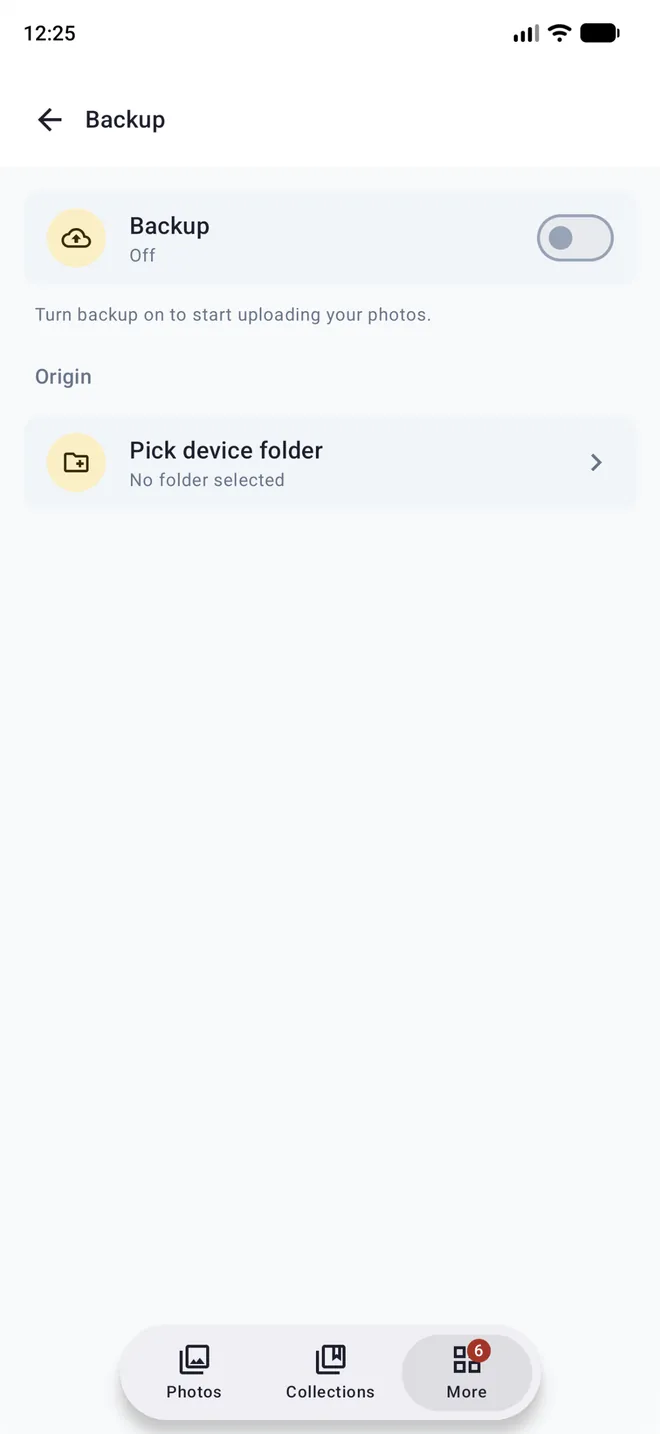
Your phone, always safe
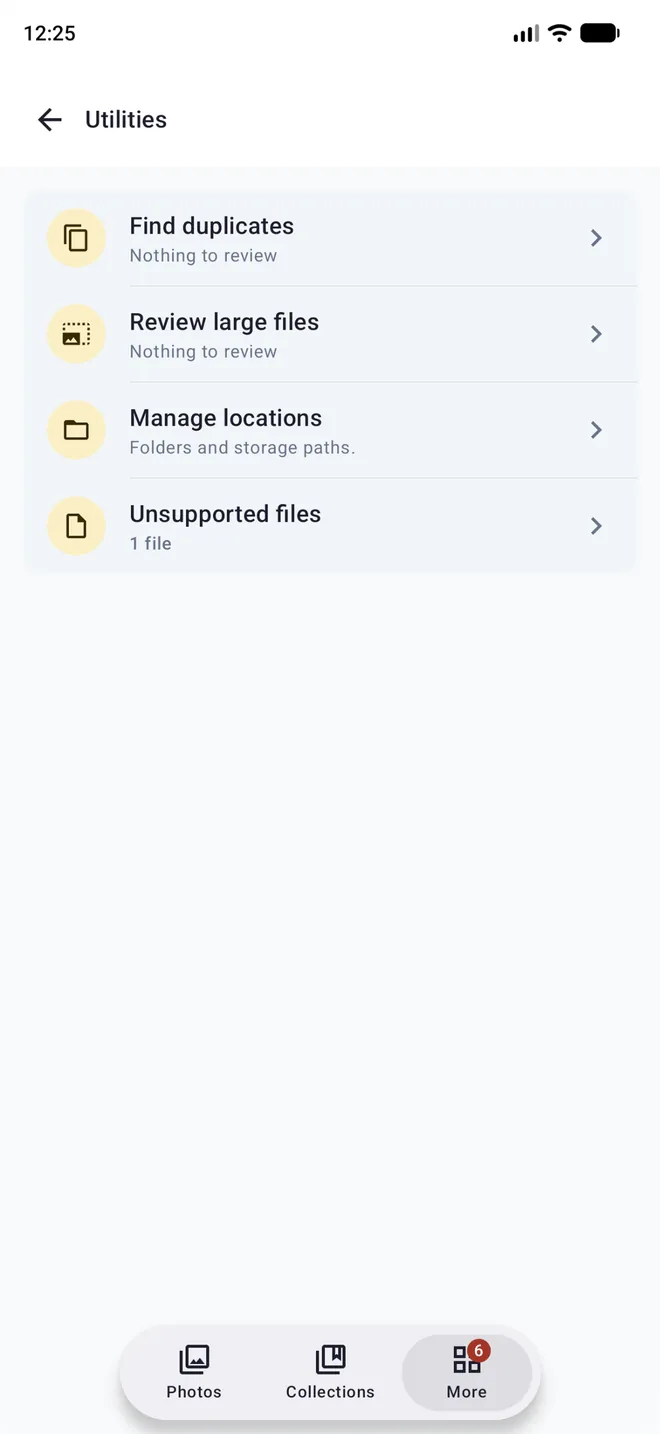
Turn on backup, pick your device folders and forget about it: every file is stored with a verified checksum before it is processed. From Utilities you can find duplicates and large files to keep your library tidy.
- In the background, on Wi-Fi or while charging
- Includes the video part of Live Photos
- Duplicate and large-file detection
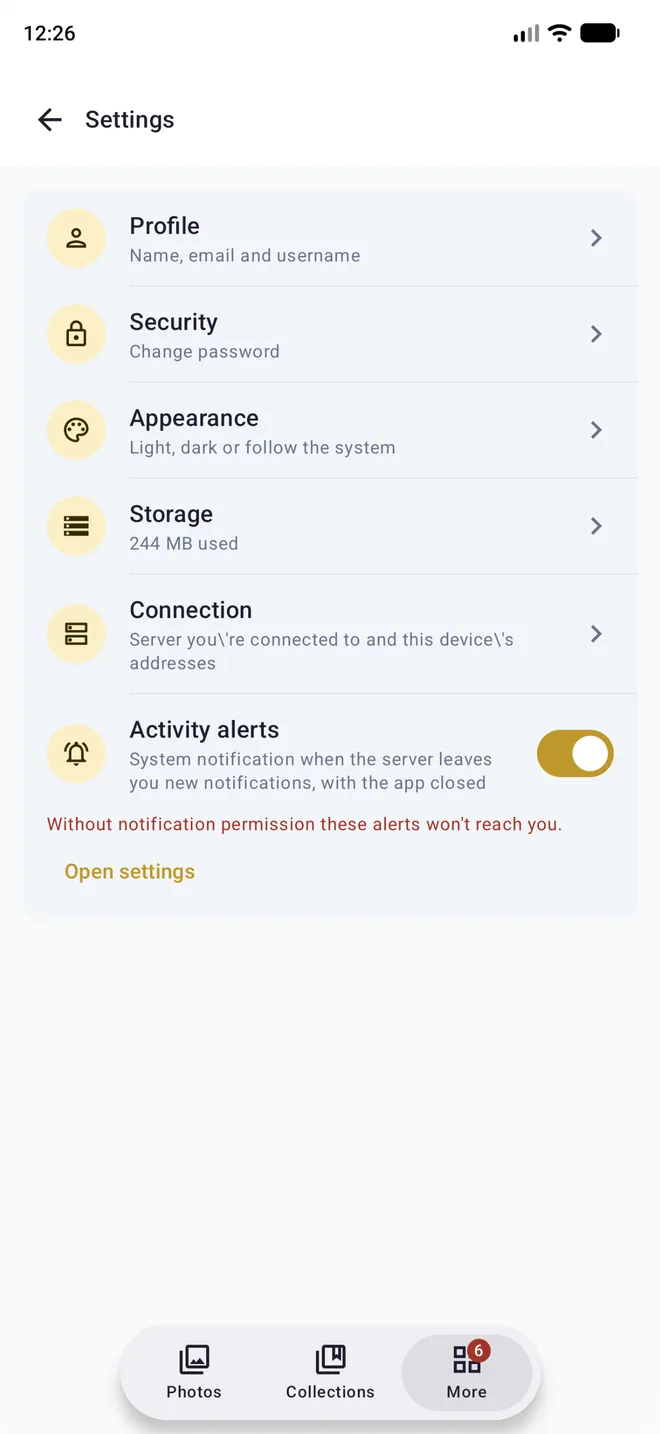
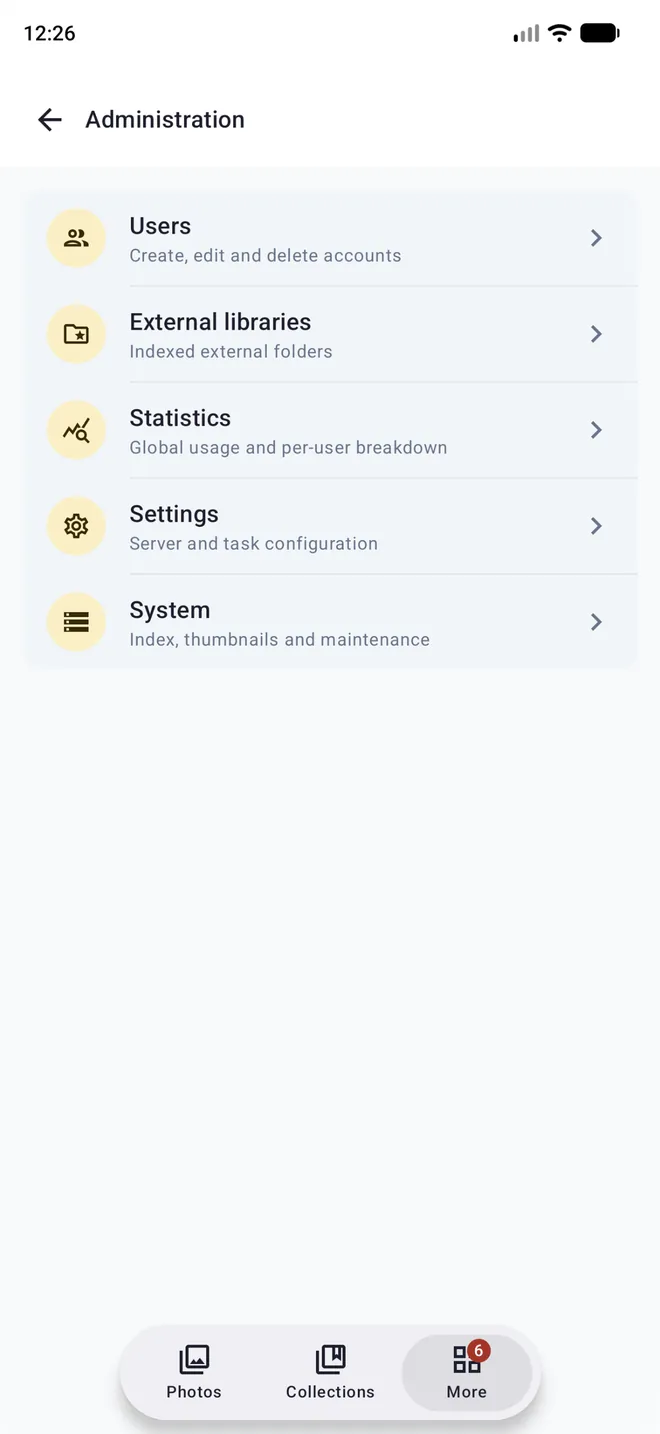
Your server, in your pocket
If you are the admin, you don't need a computer to look after Photonne. Create accounts, add libraries, run tasks and check how the AI analysis is going, right from the app.
- Users, roles and external libraries
- Global and per-user statistics
- Tasks, analysis status and processing failures
- Shared trash and server settings
Your library in the browser, built for the desktop
A full web client with its own design for large screens: everything the app does (except phone backup), plus server administration. Your own server hosts it, with nothing else to install.
Select like on your computer
Select with Shift and Ctrl/Cmd or by dragging a box, and apply batch actions to hundreds of photos at once.
Drag and drop
Drag photos from your computer to upload them, or drag them onto an album or folder to organize them.
Keyboard shortcuts
Move through the timeline and the viewer without touching the mouse, with context menus in every view.
Panels for wide screens
A viewer with an editable info and faces panel, a folder tree and a rule editor for smart albums.
A real website
Every photo, album and view has its own URL: open it in a new tab, use back and forward, and share public links with previews.
Installable and fast
A virtualized grid that stays smooth past 100,000 photos, light and dark mode, English and Spanish, and installable as a PWA.
Plus full administration
- Users, roles and external libraries
- Statistics, tasks and queues
- Maintenance and backup
- Server, AI and system settings
See the app
Swipe through the main screens. Available in English and Spanish, with light and dark mode.
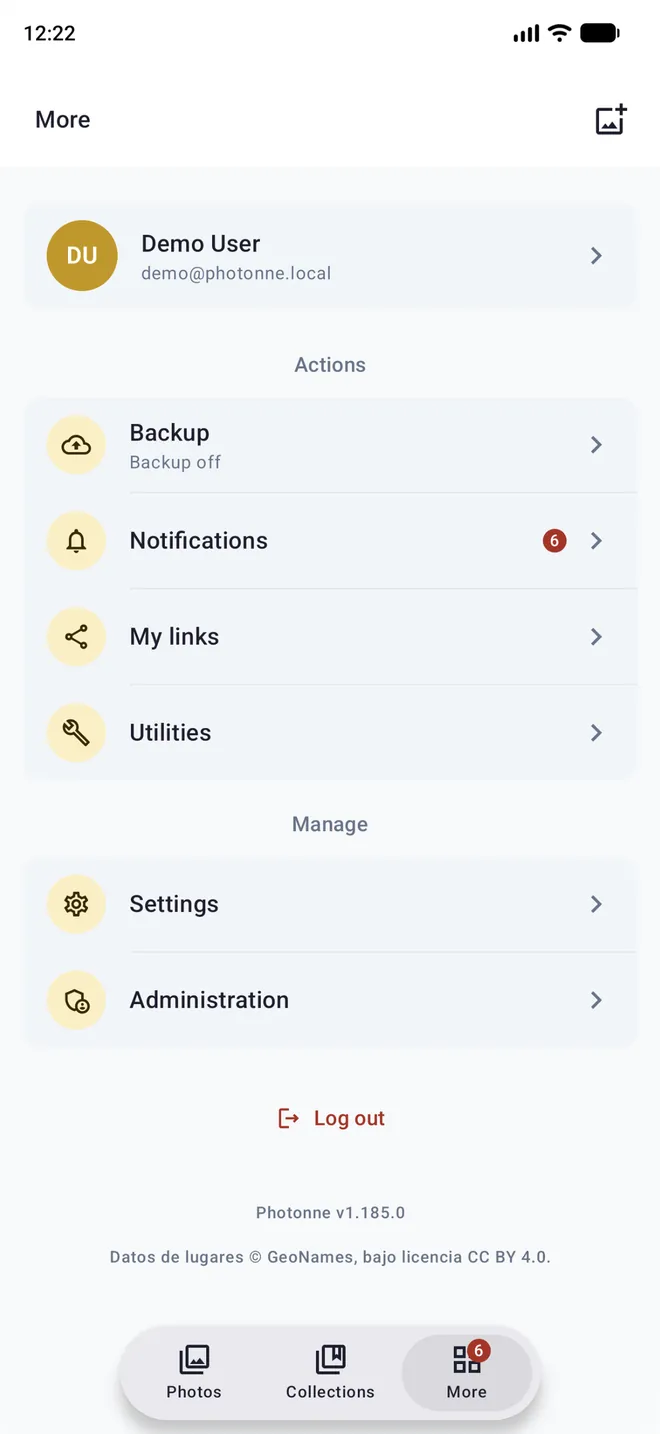
Photonne, on all your screens
One native app with the same design on Android, iOS and desktop, plus a web app with its own design for the browser. The mobile apps are in beta: sign up and try them with the demo.
Android
Background backup, activity notifications and the system share sheet. Join the closed test in three steps:
- Join the testers group with your Google account.
- Accept the invitation to the test.
- Install Photonne from Google Play.
iPhone
Backup that includes the video part of Live Photos, credentials in the Keychain, and light and dark mode. The beta is distributed through TestFlight:
- Install TestFlight from the App Store.
- Open the beta link on your iPhone.
- Tap Accept, then Install.
Desktop
Installers for macOS (.dmg), Windows (.msi) and Linux (.deb). The app lets you know when a new version is out.
Download from GitHub- Shift+click to select a range
- Ctrl/Cmd+scroll wheel to change the zoom
- Esc or the mouse back button to go back
Video playback on desktop requires VLC to be installed.
Web
Included with the server: open its address in your browser, for example http://your-server:1107. Install it as an app from the browser if you like.
Your photos, on your server,
under your control
Your photos live on your server: nobody else sees them, analyzes them or uses them for advertising. Even the AI runs on your own hardware.
- No subscriptions, ads or tracking
- No storage limits
- Faces, scenes and search analyzed locally
- Open source and auditable (AGPL-3.0)
- Local URL at home, public URL outside, switched automatically
- ❌ Data on third-party servers
- ❌ Monthly subscription
- ❌ Storage limits
- ❌ Your photos analyzed by others
 Photonne
- ✅ Data on your server
- ✅ No subscription cost
- ✅ Unlimited storage
- ✅ AI that runs at home
Try it without setting anything up
Open the demo in your browser, or install the beta on your phone or the desktop version and connect it to our public instance with sample photos and discover everything it can do before setting up your own server.
https://demo.photonne.app
demo / demo
- No sign-up, no personal data
- Every feature of the app
- Phone, web and desktop
The demo resets every few hours and some admin operations are blocked · Your changes may be lost
Set up your server in four steps
The app connects to a Photonne server that you can run at home (a computer, a NAS, a Raspberry Pi) or on a VPS. All you need is Docker.
Clone the repository
git clone https://github.com/photonne/photonne.git
cd photonneConfigure the environment
cp .env.example .env
# Edit .env: path to your photos, passwords and JWT keyStart the containers
docker compose up -dOpen the web or connect the app
Open http://your-server:1107 in your browser to use the web app, or open the app, enter your server URL and sign in with the admin user from your .env. Optionally add your local network URL: the app uses it at home and switches to the public one when you leave.
Create accounts for the rest of the family from Administration → Users, on the web or in the app.
See the full README for advanced configuration, GPU and deployment options.
Do I need my own server?
Yes. Photonne connects to a Photonne server, which you can run at home (a computer, a NAS or a Raspberry Pi), on a VPS, or use one that someone else manages, such as a family member. If you just want to try it, connect the app to the public demo.
Can I use it from a browser?
Yes. The server includes a full web app: open its address in any browser to get your library, editing, albums, search and administration, with keyboard shortcuts and drag and drop. The only thing that needs the mobile app is automatic phone backup.
What hardware does the server need?
Any machine that runs Docker. The images are multi-architecture (amd64 and arm64), so they work on Intel/AMD PCs and NAS units, ARM NAS units such as Synology DSM 7+, Raspberry Pi 4/5, Macs and VPSs. The AI runs on the CPU; a GPU is optional and speeds up the analysis.
Can I use the photo folders I already have?
Yes. With external libraries, Photonne indexes existing directories without moving them anywhere. And everything you upload is stored as regular files in folders on disk, not in a closed format.
Does it work away from home?
Yes, as long as your server is reachable from outside (with a domain and a reverse proxy, or a VPN). In the app you can set a local URL and a public one: it uses the local one at home and switches to the public one automatically when you leave.
Do my photos ever leave my server?
No. The app only talks to your server, and all AI analysis (faces, scenes, objects, text, search) happens there. The only outside request is for map tiles (OpenStreetMap / CARTO). See the privacy policy.
What happens if the server goes down?
Your photos stay on the server's disk and the ones on your phone stay on your phone: nothing is lost. While it is down the app can't show the server library, and automatic backup catches up as soon as it is back.
What if I delete a photo by mistake?
Anything you delete goes to the trash first, and you can restore it. Freeing up space on your phone only removes from the device what is already stored and verified on the server.
Can the whole family use it?
Yes. The admin creates an account for each person; everyone gets their own library and backup, and you can share albums with each other with view or edit permissions.
How much does it cost?
Nothing. Photonne is free software (AGPL-3.0), with no ads, fees or storage limits. If you find it useful, you can support the project.
Can I use the app on my phone yet?
Yes, in beta. On Android, join the testers group, accept the test and install the app from Google Play. On iPhone, install TestFlight and open the beta link. The final release on both stores will follow once testing is done; in the meantime you can try everything with the demo.
Built on solid technology
A single UI codebase for Android, iOS and desktop, a web app built for the browser, and a backend designed for self-hosting.
What users say
Testimonials are coming soon. Already using it? Tell us about your experience.
The road ahead
What already works, what is in progress and what is coming next.
Apps and library
- Native apps for Android, iOS and desktop
- Automatic backup from your phone
- Timeline with zoom and scrubber
- Albums, folders and smart albums
- Sharing links and request links
- Multi-user and roles
Intelligence
- Natural language search
- Face recognition
- Objects, scenes and text in photos
- Automatic memories
- Automatic ML tagging
- Automatic trip detection
- On-demand AI analysis
- Optional GPU acceleration
Up next
- Release on Google Play and the App Store (open beta)
- iPad version
- OIDC / SSO authentication
- Documented public API
- Scheduled automatic backups
Have a suggestion? Open an issue on GitHub
Like Photonne? Help it keep growing
Photonne is an open source project built in spare time. Your support means more time for new features, fixes and documentation.
GitHub Sponsors
Support the project directly on GitHub with a monthly or one-off contribution.
♥ Sponsor on GitHubContribute
Try the beta on your phone and tell us what breaks, or, if you are a developer, open a PR or suggest new features.
🛠 Contribute codeAll support goes straight into developing Photonne. Thank you for making this project possible!
Your library, in your pocket and at home
Download the app, set up your server and take back control of your memories.
GNU AGPL-3.0 license · Open Source · Free